HDMI EDID Compatibility Mode
With the rollout of kOS version 26.0.0, an HDMI EDID Compatibility Mode setting was added to the Advanced Settings section of the browser interface for Strato/Strato S/Strato C players. Players in the field at the time of the version 26.0.0 update were set to Compatibility Mode. New installations of Strato C or re-installations of Strato and Strato S players will default to Standard Mode.
NOTE: Strato V, Strato E, and Strato M have supported proper parsing of modern multi-block EDIDs from launch and thus do not require the compatibility mode settings.
Background
- The original HDMI standard used two EDID blocks to provide information about a device's capabilities and used a special block called a block map to identify additional extension blocks used, if needed.
- Many modern devices use other methods of signaling multi-block EDIDs that do not require a block map.
- Kaleidescape has updated our Strato products in version 26.0.0 to make use of the modern EDID formats which are implemented when the HDMI Compatibility Mode is set to Standard Mode.
- Choosing Compatibility mode causes the player to ignore any EDID blocks beyond the original two.
- When configuring a new installation, Compatibility Mode should be used if there are issues with the proper detection of video or audio capabilities from the connected HDMI chain impacting player operation related to EDID information from connected devices.
Accessing the HDMI EDID Compatibility setting
- Open the browser interface for the system and navigate to the Component Settings page (https://<server IP>/components)
- Click the Settings button for the Strato settings you want to edit.
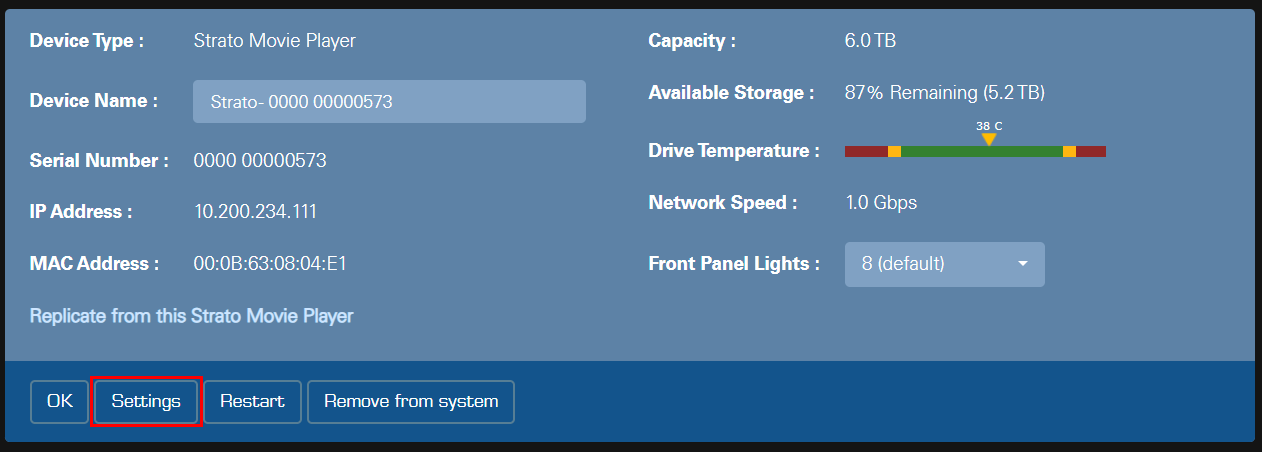
- In the Settings popup window, click the widget beside Show Advanced Video Settings to expand the section.
- Scroll down to the HDMI EDID Compatibility section and select the desired option.
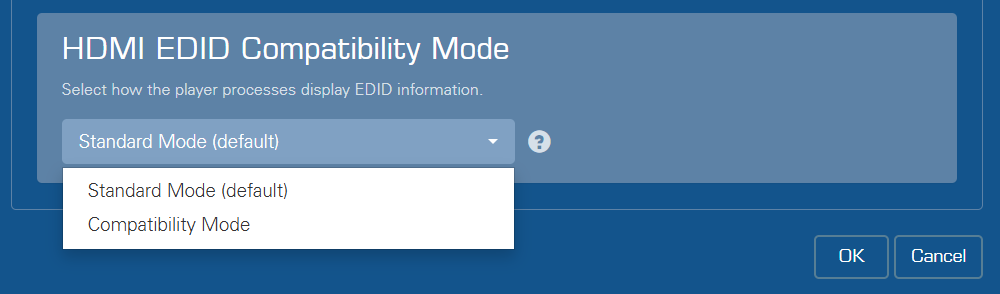
- Click OK to save your changes.
HDMI EDID modes
Standard Mode (default)
Default mode for normal operation. Use this setting for most displays.
Compatibility Mode
Try using this mode if your player is experiencing issues properly detecting HDMI video or audio features, if the player is having difficulty reading EDID, or if you are otherwise experiencing video or audio issues.
When attached to an HDMI 2.1 device, some video or audio features may not be available if this mode is selected.